
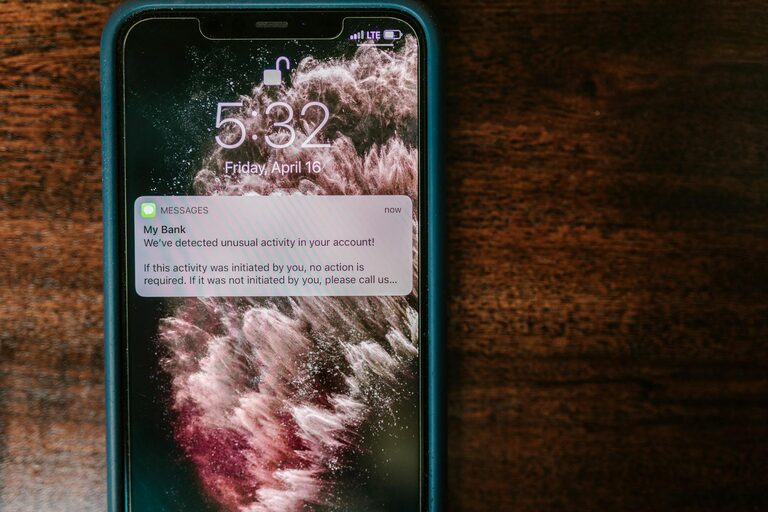
In today’s connected world, notifications are a constant presence on our phones, computers, and other devices. They can keep us informed and help us stay organized, but they can also be overwhelming, distracting, and stressful if not managed well. Setting boundaries with notifications is essential to maintain focus, reduce anxiety, and enjoy uninterrupted moments throughout your day.
In this post, we’ll explore why setting notification boundaries matters and share practical strategies to help you take control over the constant buzz, ping, and pop-ups.
Why Setting Boundaries with Notifications Is Important
Notifications serve various purposes—they alert us to new messages, app updates, calendar reminders, and social media activities. However, when notifications become excessive or irrelevant, they can:
– Interrupt concentration and workflow
– Cause stress and anxiety
– Lead to compulsive device checking
– Affect sleep quality, especially if alerts come at night
By intentionally managing notifications, you minimize distractions, improve mental clarity, and create more space for meaningful activities.
Step 1: Audit Your Notifications
Begin by understanding which notifications you are receiving and how often they interrupt you.
– Review notification settings: Go through your phone and desktop settings to see which apps have permission to send alerts.
– Identify non-essential notifications: Some apps send frequent notifications that do not require immediate attention (e.g., social media likes, promotional messages).
– Note your pain points: Which notifications distract you the most or occur at inconvenient times?
Knowing what you’re dealing with makes it easier to make deliberate choices.
Step 2: Customize Notification Settings
After your audit, customize settings to minimize unnecessary interruptions.
– Turn off non-urgent notifications: Disable alerts from apps that don’t require instant responses.
– Use “Do Not Disturb” or Focus modes: Most devices have features to silence notifications during specific times or activities (work, sleep, meetings). Schedule these thoughtfully.
– Set priority notifications: Allow alerts from important contacts or apps that need your immediate attention.
– Choose notification type wisely: Switch from intrusive pop-ups or sounds to subtle badges or banners if available.
These adjustments help ensure you get notified only when it truly matters.
Step 3: Establish Specific Times to Check Notifications
Constantly checking alerts can fragment your attention. Try to:
– Designate “notification-free” periods: Block out time slots during your day when you don’t look at your devices.
– Batch notifications: Check messages and updates at scheduled intervals rather than reacting instantly.
– Turn off notifications during focused work: When concentrating on tasks, silence notifications entirely to prevent disruption.
By controlling when you engage with notifications, you build healthier habits around digital consumption.
Step 4: Use Tools and Apps to Manage Notifications
Several apps and tools can help you regulate notifications.
– Notification management apps: Some apps consolidate and organize notifications, allowing you to review them conveniently without constant interruptions.
– Productivity apps with focus modes: Apps like Forest or Focus@Will can encourage focused time by limiting distractions.
– Email filters and priority inboxes: Set up rules to prioritize emails and reduce notification noise from less important messages.
These tools complement device settings and support your boundary-setting goals.
Step 5: Communicate Boundaries to Others
If you work or live with others who expect immediate responses, let them know about your notification boundaries.
– Set expectations: Explain your availability and preferred communication times.
– Use status indicators: Most messaging platforms allow you to set statuses indicating when you are busy or offline.
– Encourage urgent contact methods: Suggest alternative ways to reach you for pressing matters, such as a phone call.
Clear communication reduces pressure and fosters mutual respect for your time.
Step 6: Practice Mindful Technology Use
Beyond technical settings, developing awareness of your relationship with notifications is vital.
– Reflect on your reactions: Notice how notifications make you feel and whether they provoke stress or distraction.
– Take regular screen breaks: Step away from screens to reset your focus.
– Set goals for digital balance: Identify what a healthy notification routine looks like for you and work toward it.
Mindfulness helps reinforce the behavioral changes that technological adjustments alone cannot achieve.
Wrapping Up: Your Notifications, Your Rules
Notifications are powerful tools, but without boundaries, they can control us instead of serving us. By auditing your alerts, customizing settings, scheduling notification checks, using helpful tools, communicating clearly, and practicing mindful use, you regain control over your digital life.
Start small—change one or two notification settings today and notice how it impacts your focus and well-being. Over time, these habits will help you create a healthier, less intrusive digital environment where notifications inform rather than interrupt.
—
Setting boundaries with notifications is a simple yet effective way to reclaim your attention and enjoy more calm and productivity throughout your day.